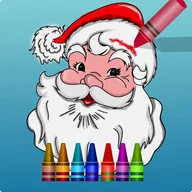
Christmas Colouring Book App
Be the first to reviewOn this page
Reviewed by
Ludis.app Team
Published
Apr 17, 2026
Updated
Apr 17, 2026
Christmas Colouring Book is a free holiday-themed colouring app built around a collection of festive line-art drawings ready to fill with colour. It's aimed at a wide range of ages — from toddlers and young children to teens and adults — making it a flexible pick-up-and-play activity during the Christmas season. The interface is laid out like a physical colouring station, with a white canvas in the centre, a wooden crayon rack on the right, and picture navigation on the left. Every drawing and every colour in the palette comes at no cost.
App Screenshots
Inside the App
Christmas Colouring Book puts a seasonal colouring studio on your phone, organised around a gallery of Christmas-themed outline drawings. The picture selection screen presents pages inside wooden frames decorated with red ribbon bows, set against a log-cabin background strung with pine garland and lights — so even browsing feels like being inside a holiday scene. Subjects include Santa Claus, snowmen, candy canes, Christmas trees, deer, and gifts, among others.
How the colouring interface works
Each session opens a white canvas with the chosen outline drawing centred on screen. A wooden rack on the right holds crayons in yellow, orange, red, purple, light blue, dark blue, and green. You tap a crayon to select it, then tap or drag to apply colour to the drawing. Alongside the crayons, the app includes a sticker panel stocked with holiday characters — a snowman in a top hat, a gingerbread man, a child in a winter hat, and a small Christmas tree — which can be placed directly onto the canvas. Navigation between pictures sits in a left-side panel built around the same wood-grain visual theme.
Who it's designed for
- Young children and toddlers looking for a structured creative activity
- Older kids and teens who want to personalise holiday artwork
- Adults and elders after a low-pressure, seasonal pastime
The familiar coloring-book layout — a blank outline, a palette to one side — keeps the learning curve flat. The consistent screen structure across all pages also helps younger users build confidence quickly.
A few things worth knowing
The crayon palette relies entirely on colour to distinguish options, with no text labels or symbols attached to each shade. For users with colour-vision deficiencies, this is a genuine limitation: the interface leans heavily on red-green combinations throughout, which is precisely the pairing most likely to cause confusion. The touch targets for individual crayons in the sidebar are also on the small side, which can make precise selection harder for younger children or anyone with limited fine motor control. These are practical gaps that a future update could address with labelled swatches and larger tap areas.
The app's strongest suit is its atmosphere. The log-cabin gallery, string-light headers, and candy-cane icon border create a cohesive Christmas feel that holds together across every screen — the visual theming is noticeably more considered than the functional polish.
Key App Details
| Price | Free — no cost to download or use |
| Target Audience | All ages: toddlers, children, kids, teens, adults, elders |
| Drawing Subjects | Christmas Tree, Santa Claus, snowman, deer, candy cane, gifts, New Year and Xmas themes |
| Available Colors | Yellow (multiple shades), orange, red, purple, light blue, dark blue, green — displayed in a vertical wooden crayon holder |
| Sticker Feature | Drag-and-drop holiday stickers including snowman, gingerbread man, Christmas tree, and child character |
| Interface Layout | Three-panel design: left navigation sidebar, central white canvas area, right crayon or sticker selection panel |
| Interaction Methods | Touch-based coloring, drag and drop for stickers, gallery navigation between pictures, tool selection from palette |
| Last Updated | Apr 15, 2026 |
Christmas Colouring Book Help
Does Christmas Colouring Book cost anything to download?
What Christmas pictures are included in the app?
Who is this colouring app suitable for?
Can I use stickers in addition to colouring?
What coloring tools are available to use on the pictures?
Reviews
Log in to write a review