Colouring Book Of Shapes 2024 App
Be the first to reviewOn this page
Reviewed by
Ludis.app Team
Published
Apr 19, 2026
Updated
Apr 19, 2026
Colouring Book Of Shapes 2024 is a children's educational coloring app that pairs shape recognition with hands-on creative play. It's designed for young learners who are just beginning to explore geometry, color awareness, and fine motor skills in a low-pressure, playful setting. The interface leans into a familiar classroom aesthetic — notebook paper, crayons, watercolor palettes — giving kids a digital space that feels like an art desk rather than a screen. Both the visuals and the pacing are squarely aimed at early childhood.
Inside the App
Shapes, Colors & Tools
At its core, Colouring Book Of Shapes 2024 gives children a canvas of outlined geometric shapes — circles, squares, triangles, pentagons, rhombuses, stars, hearts, and more — and hands them a toolkit of crayons, colored pencils, and watercolor-style tools to fill them in. Each shape is clearly labeled with its name in bold, readable text directly above the outline, so color choice and shape vocabulary develop at the same time. The shape selection menu uses a green chalkboard theme with chalk-drawn outlines in individual frames, which adds a school-room warmth to the navigation.
What the App Actually Includes
- A library of shapes ranging from basic (circle, square, triangle) to slightly more advanced (rhombus, pentagon, star)
- A multi-color mode that lets children apply more than one color within a single shape simultaneously
- Crayons, colored pencils, and a watercolor palette as selectable coloring tools
- A horizontal row of colored pencils spanning the full screen width on the main interface, with options including green, yellow, red, pink, purple, blue, dark purple, black, and white
- Short instructional prompts displayed as banners at the bottom of each screen — for example, "Color your Shape With Different Colors" and "Apply Multiple Colors In one Shape"
- A bright, cartoon-style visual design with child-friendly characters throughout
How It Looks in Practice
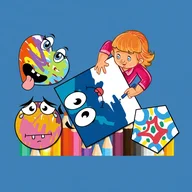
The screenshots reveal a carefully layered visual aesthetic. Coloring activities take place on a white lined notebook paper background — complete with a red margin line and hole punches along the left edge — which gives the whole experience an authentically handmade feel. Completed artworks shown in the main interface include rainbow-striped faces with googly eyes and geometric multi-colored shapes, suggesting the app encourages expressive rather than strictly accurate coloring. The shape selection screen swaps the notebook paper for a green chalkboard covered in chalk-drawn geometry and scattered rulers, reinforcing the educational framing without making it feel like homework.
A Few Things Worth Noting
The app relies heavily on color identification as the primary learning mechanism, but there are no visible audio cues, narration, or color-name announcements in the screenshots. For children who are color blind or for those who learn better with audio support, this gap is noticeable. Fine motor control is also required to color within shape boundaries, and no auto-fill option appears to be present. The touch targets for pencil and crayon selection look reasonably sized, but the overall accessibility toolkit is limited compared to what a dedicated educational app might offer.
The notebook-paper aesthetic and crayon-heavy interface make the app feel closer to a real art table than most digital coloring tools — but the absence of any audio feedback means it works in silence, which won't suit every young learner.
App Technical Details
| App Type | Children's educational coloring application |
| Last Updated | Oct 31, 2025 |
| Available Shapes | Circle, square, triangle, pentagon, heart, rhombus, star, and more |
| Coloring Tools | Colored pencils, crayons, watercolor palette |
| Multi-Color per Shape | Supported — multiple colors can be applied within a single shape |
| Color Palette Size | 10+ colors including green, yellow, red, pink, purple, blue, black, white |
| Interface Style | Bright cartoon-style graphics with child-friendly visual design |
| Skills Targeted | Shape recognition, color awareness, hand-eye coordination, fine motor skills |
Shapes & Coloring Help
What shapes are available to color in the app?
Can I apply more than one color to a single shape?
What skills can children develop by using this app?
What coloring tools are available in the app?
Is the interface easy enough for young children to use on their own?
Reviews
Log in to write a review