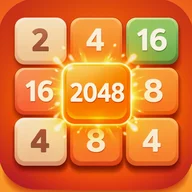
Merge 2048 App
Be the first to reviewOn this page
Reviewed by
Ludis.app Team
Published
Jun 4, 2026
Updated
Jun 4, 2026
Merge 2048 is an offline number puzzle game built around the classic 2048 formula — swipe to slide tiles, combine matching numbers, and push toward that iconic target score. It's designed for anyone who enjoys a quiet mental challenge without distractions, accounts, or a data connection. The package is lean and self-contained, running entirely on your device from the moment you install it.
Game in Action
Inside the Game
The core loop here is one most puzzle fans will recognize instantly: a 4x4 grid, tiles that slide with each swipe, and the satisfying collapse when two matching numbers meet. Reach the 2048 tile to clear the game's primary objective, or keep going in Infinite Mode — which lets you combine tiles well beyond that threshold. Each session tracks your current score alongside an all-time best, displayed persistently so the pressure of your personal record is always visible.
What the Interface Looks Like
Merge 2048 runs on a dark theme with a warm orange and teal accent palette. The main menu greets you with a large orange play button centered at the bottom of a black screen, your best score shown prominently above it with a horizontal progress bar split between orange and teal. The game board itself sits inside a teal-bordered 4x4 grid, and newly placed tiles appear with small blue sparkle effects around them. When you pause mid-game, a teal-framed dialog slides in with your current and best scores, plus a contextual tip — at one point the app reminds you to "keep your highest tile safely in one of the corners." Settings offer a toggle between Light and Dark themes, a Privacy Policy link, a build version label, and a red-text button to reset all game progress.
No Account, No Connection
- The game works completely offline — no internet connection is required at any point
- No login or signup is needed to start playing
- No data collection takes place, according to the app's own privacy section
- The settings screen explicitly shows how user data is handled under a dedicated Privacy Policy entry
A Note on Color Differentiation
Tile values are clearly printed as numbers on every tile, which helps navigation regardless of how well you read color. That said, the app does lean heavily on color coding — orange and red shades — to distinguish tile levels. Players who rely on color as a primary visual cue rather than the printed numbers may find early tile differentiation less immediate, particularly at the lower end of the value range where beige and light orange tiles sit close together visually.
Merge 2048 is a trim, no-friction implementation of the 2048 format — dark-themed, visually consistent, and genuinely offline. The Infinite Mode and persistent best-score tracking give returning sessions a reason beyond just hitting the target number once.
Controls and Accessibility
Gameplay relies on swipe gestures in four directions — up, down, left, and right — to move all tiles simultaneously across the grid. The pause button sits in the top-right corner of the game screen and is accessible at any moment. Touch targets for the main grid tiles and menu buttons are generously sized, and all UI functions carry clear text labels alongside their icons. The game can be fully paused, restarted from scratch, or exited to the main menu without losing your best score.
Game Technical Details
| Grid Size | 4×4 |
| Internet Connection | Not required — fully offline |
| Game Mode | Infinite Mode |
| Controls | Swipe gestures (up, down, left, right) |
| Score Tracking | Current score and best score |
| Account Required | No login or signup required |
| Data Collection | None |
| UI Themes | Light and Dark |
Common Player Questions
How do I play Merge 2048?
Does Merge 2048 require an internet connection?
Do I need to create an account to play?
Can I pause the game and continue later?
Can I change the app's theme or reset my progress?
RESET GAME PROGRESS button.
Reviews
Log in to write a review